YO Agri Pro
Overview
Description
YO Agri Pro is a LoRaWAN device for measuring soil moisture and temperature at up to 2 points. Additionally, the device contains sensors that measure temperature and relative humidity inside the device. YO Agri Pro makes it easy to plan and maintain optimum growing conditions for plants.
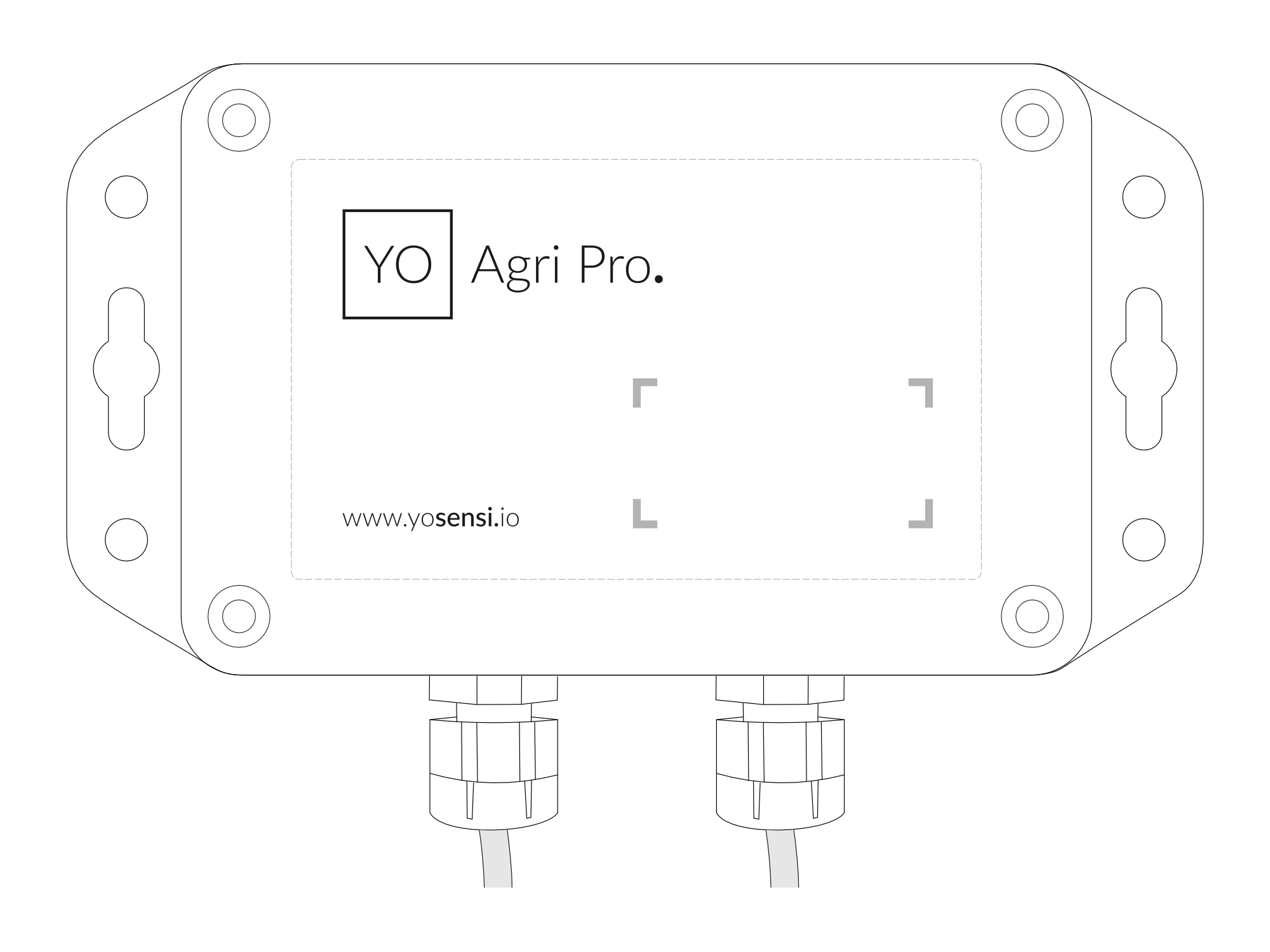
Figure 1. Device top view
Device sticker placed on the right side of the device enclosure contains information about model, version, LoRaWAN region and 3 parameters important in case of device identification and configuration:
- DEV EUI: 64-bit unique device identifier in a LoRaWAN network,
- DEV ADDR: address required to connect via ABP activation type to LoRaWAN,
- BLE MAC: Bluetooth physical address.
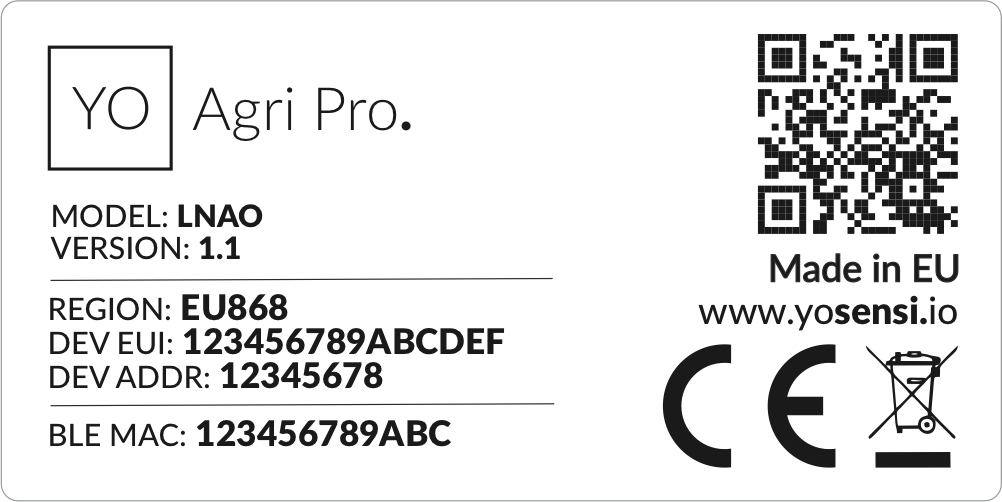

Figure 2. Device sticker
Features
- LoRaWAN Technology: Available in multiple versions with LoRa radio configured for various regions and ISM frequency bands (e.g., EU868, US915, AU915), it is compatible with both private and public LoRaWAN networks and supports connections via ABP (Activation by Personalization) or OTAA (Over-The-Air Activation).
- Bluetooth Low Energy (BLE): Enables easy configuration through a user-friendly JSON data exchange format, supports firmware updates via OTA (Over-the-Air), and boasts very low energy consumption.
- Battery-Powered: 3x AA lithium batteries featuring very low self-discharge, ensuring long-term operation without the need for an external power supply.
- Temperature and Relative Humidity: Measures temperature and relative humidity within the device enclosure, providing valuable insights into the surrounding environment.
- 2-in-1 Sensor: Measures both soil moisture and temperature in a single, compact probe—ideal for accurate and efficient soil monitoring.
- IP 67 and IK08 Protection: The robust enclosure ensures the device is dust-tight and protected against water immersion up to 1 meter for 30 minutes, as well as resistant to mechanical impacts, making it suitable for harsh outdoor environments.
- Yosensi Management Platform: Provides a web tool for device configuration, firmware updates, and infrastructure management. Enables comprehensive monitoring of transmitted data and easy device management.
- Yosensi Mobile App: Effortlessly manage devices with features to register new ones, configure settings, perform firmware updates, view/send logs, and test LoRaWAN connectivity. Learn more in our detailed Yosensi App blog post.
Specifications
Physical
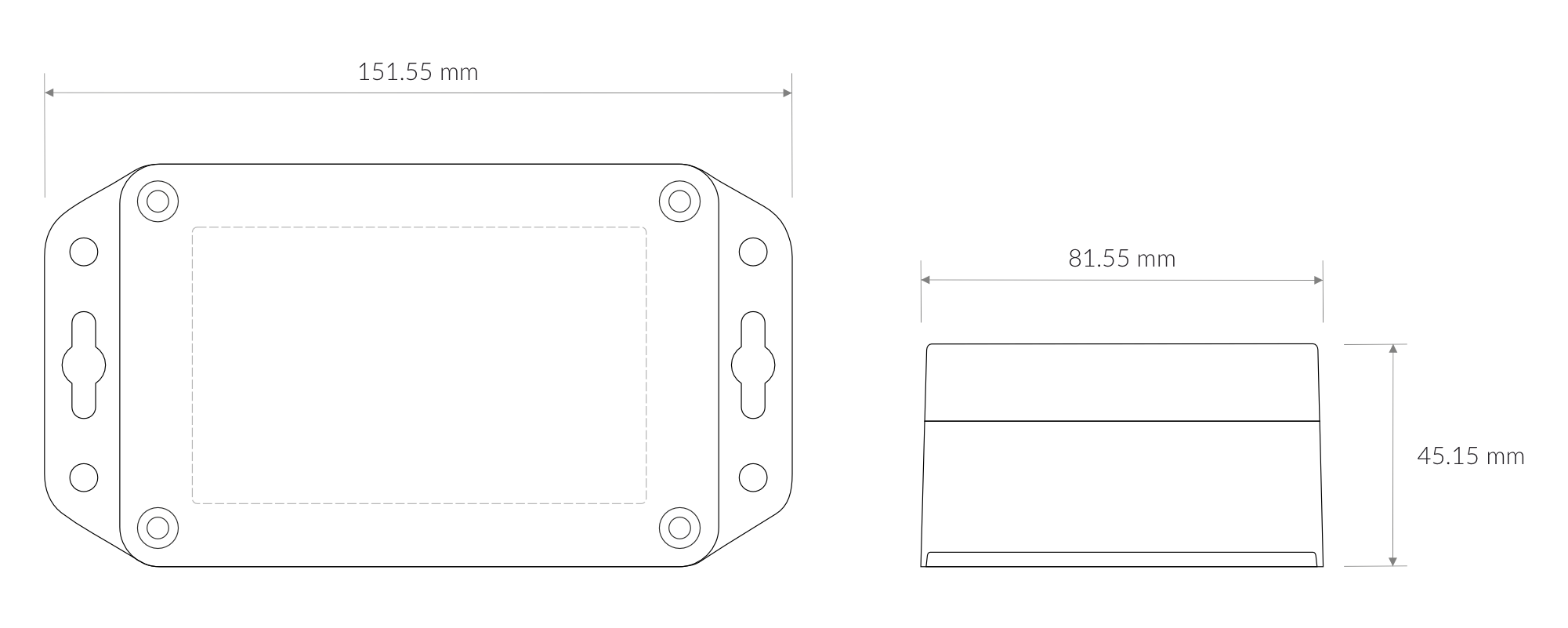
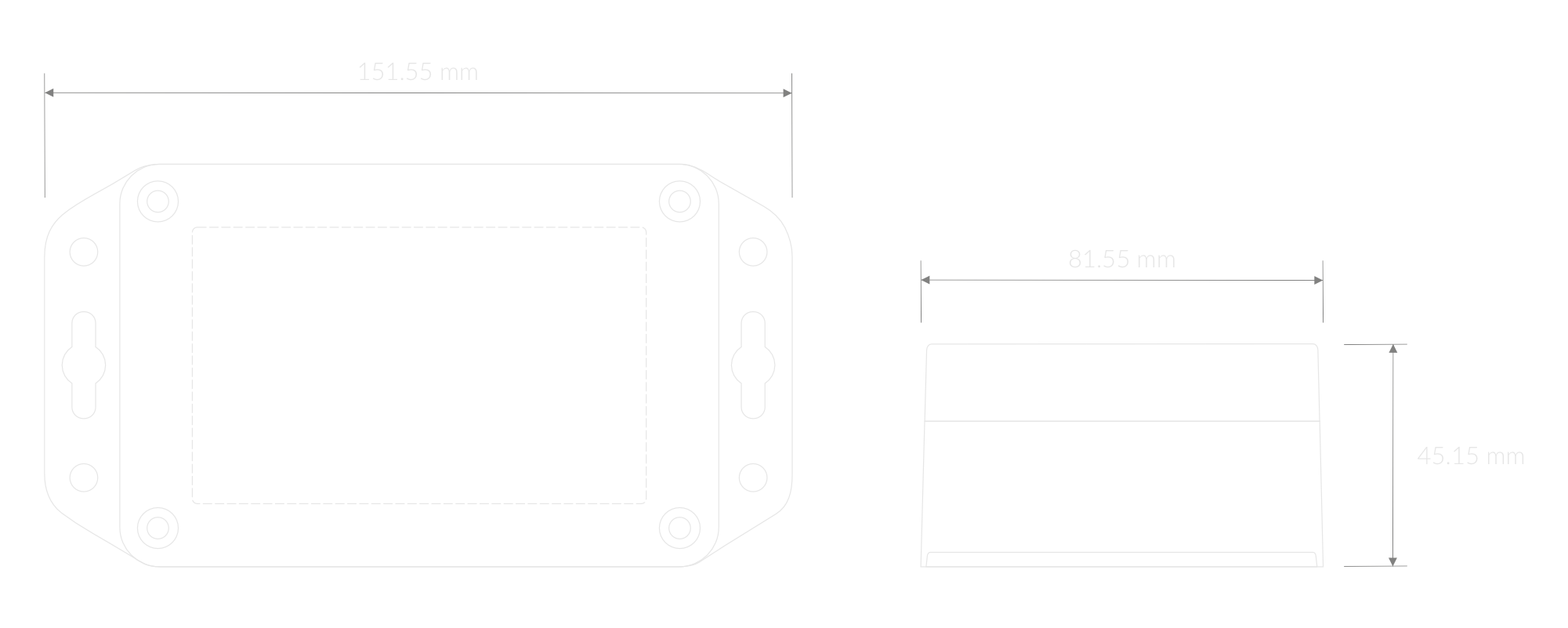
Figure 3. Dimensions of the device
Device
| Attribute | Description |
|---|---|
| Dimensions | Height: 45.15 mm Width: 81.55 mm Depth: 151.55 mm |
| Colour | Light Grey |
| Mounting method | Horizontal Vertical (can be screwed to the wall) |
| Enclosure material | Polycarbonate |
| Level of protection | IP67, IK08 |
| Weight (without batteries, excl. probes) | 200 g |
Soil Moisture sensor


Figure 4. Soil Moisture sensor
| Attribute | Description |
|---|---|
| Dimensions | Height: 15 mm Width: 28 mm Depth: 150 mm |
| Colour | Grey |
| Cable length | 2 m, (custom lengths available upon request) |
| Enclosure material | ABS |
| Level of protection | IP68 |
| Weight | 75 g |
Operating Conditions
| Attribute | Description |
|---|---|
| Temperature | 0°C to 70°C |
| Humidity | 0 to 90% |
| Placement | Indoor/Outdoor use |
| Power supply | 3 x LR6 (AA) battery (3 x 1.5 V) |
| Power consumption | Maximum: 120 mA DC (4.5 V DC) |
Measured Values
| Parameter | Measurement range | Accuracy |
|---|---|---|
| Temperature (internal) | -40°C to 125°C | ±0.2°C (5°C to 60°C) |
| Relative humidity (internal) | 0% to 100% | ±2% (20% to 80%) |
| Volumetric water content | 0% to 100% | - |
| Soil Temperature | -55°C to 125°C | ±0.5°C (-10°C to 85°C) |
Controls and Indicators
LED Status Indicator
YO Agri Pro communicates its current behaviour to the user by RGBW LED placed on the top.
Diode statuses interpretation
| Behavior | Colour | Status |
|---|---|---|
| Single flash | Green | General: device is working correctly (power and memory). |
| Single flash | Red | General: device is working incorrectly (power and memory). LoRaWAN communication: failed to receive an acknowledgement from LoRaWAN Server within specified timeout. |
| Single flash | White | LoRaWAN communication: LoRaWAN frame sent / confirmation from LoRaWAN Server after receiving the frame. |
| Slow flashing | Blue | BLE communication: connection to the device via BLE (configuration). |
| Rapid flashing | Blue | LoRaWAN communication: connecting to LoRaWAN network. |
Buttons
The YO Agri Pro features a reset button located on the PCB, labeled "Reset". To reboot the device, simply press the button briefly.
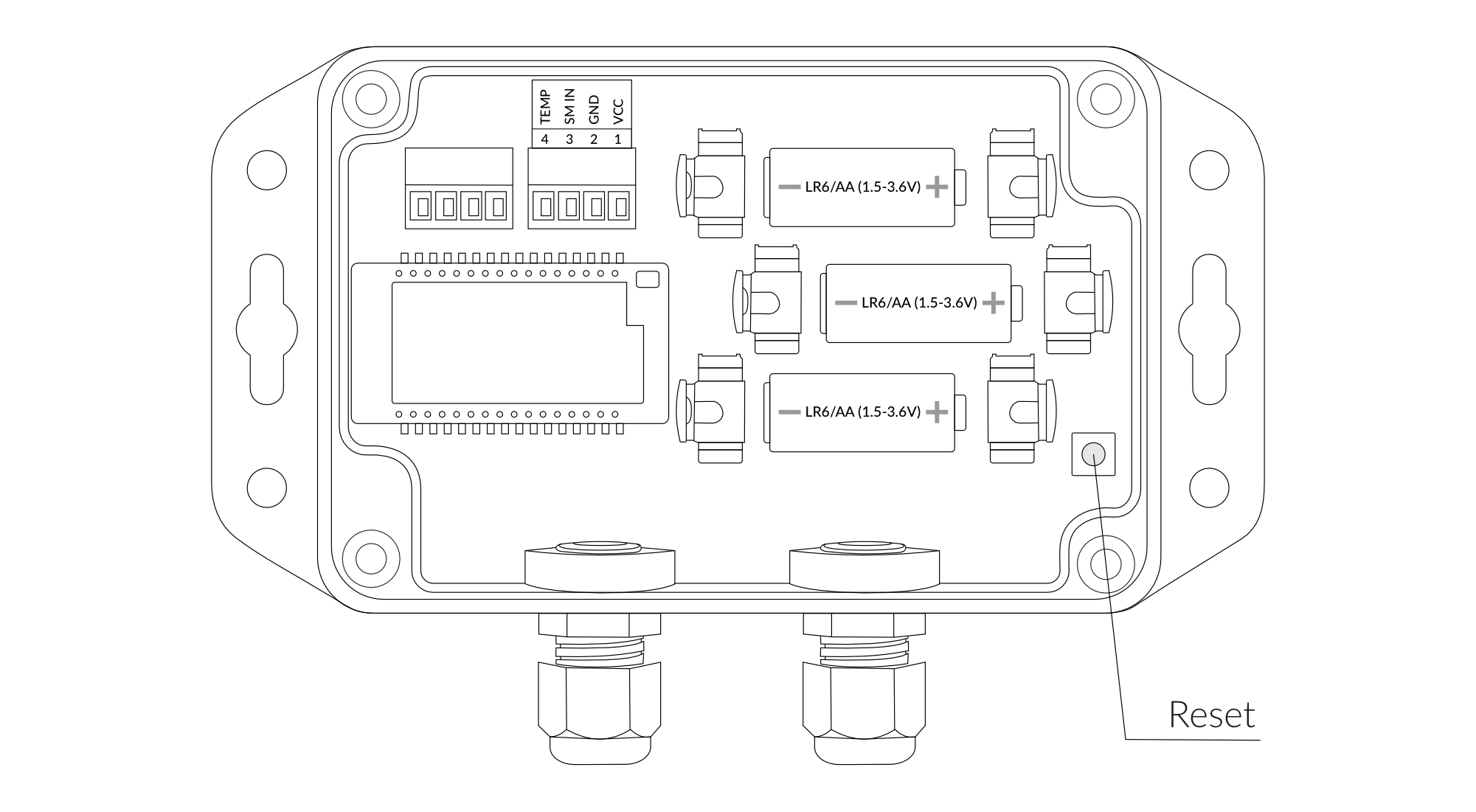
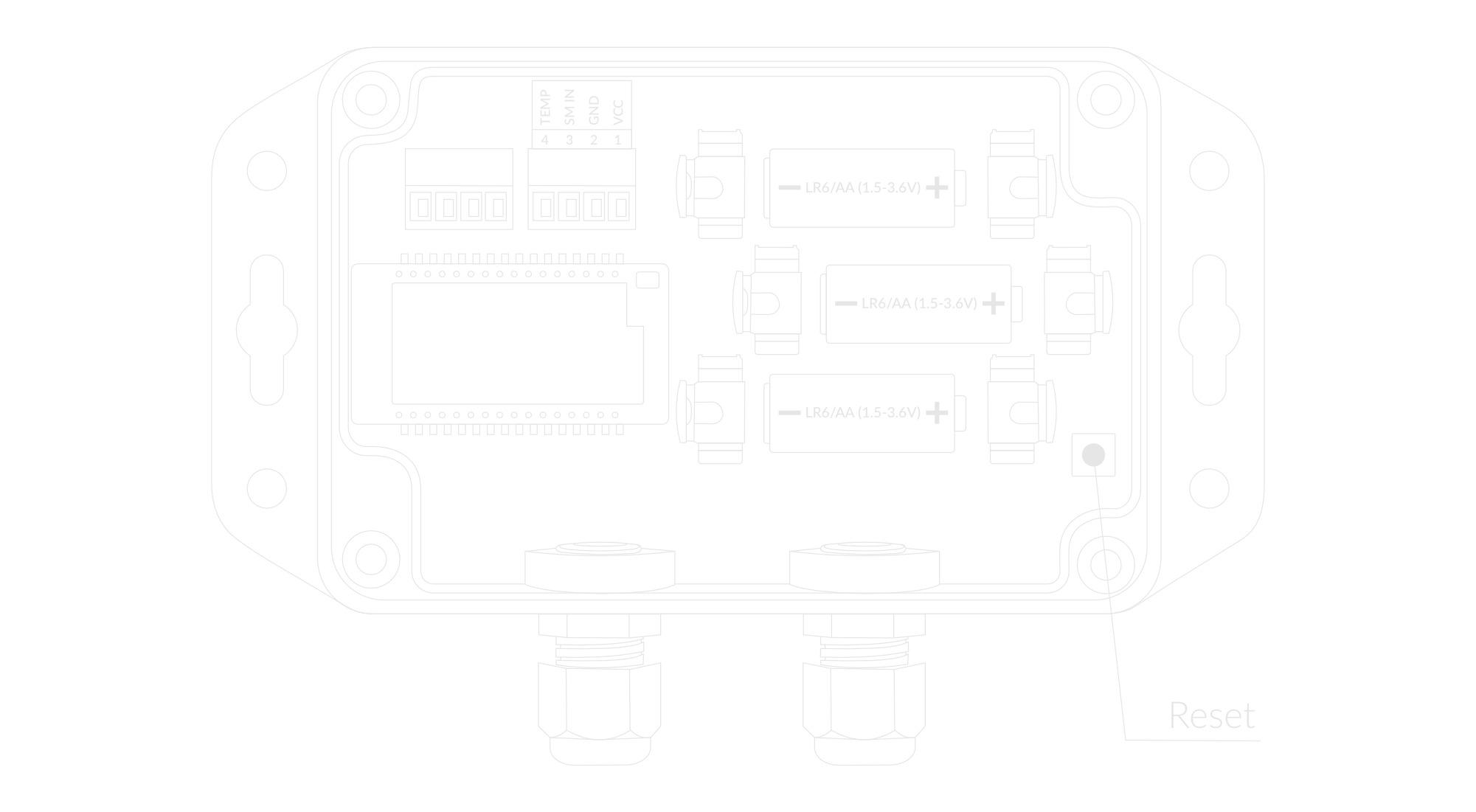
Figure 5. Reset button
Installation
Package Contents
- Device (without batteries).
- PG7 cable gland cap - 2pcs.
- Warranty card.
- (Optional) Soil moisture and temperature sensor - up to 2pcs (depending on the order).
Safety Precautions
Go to the Safety Precautions section to see important information on handling, disposal and maintenance.
Installation Guide
- Unscrew the device: remove 4 screws from the enclosure.
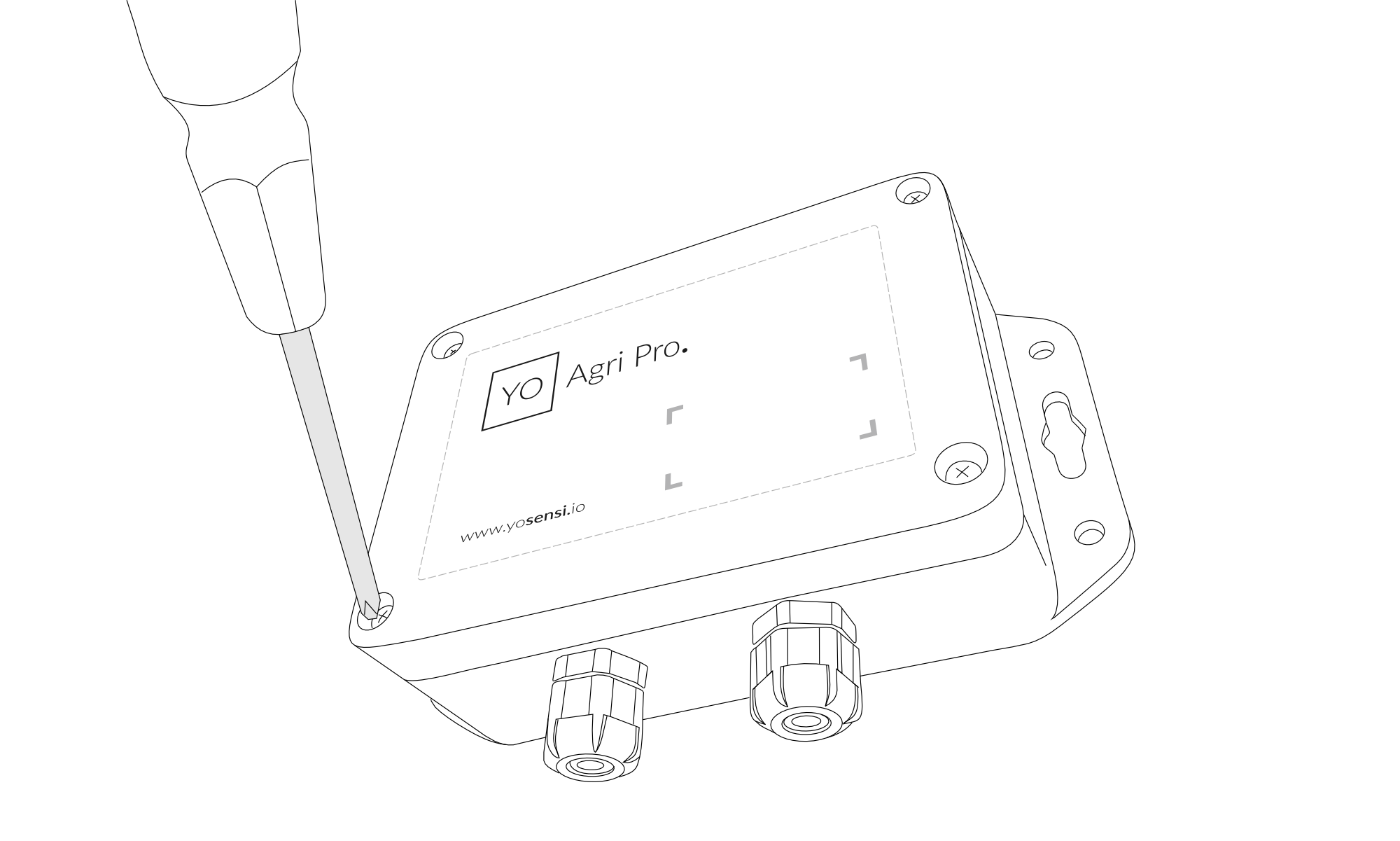
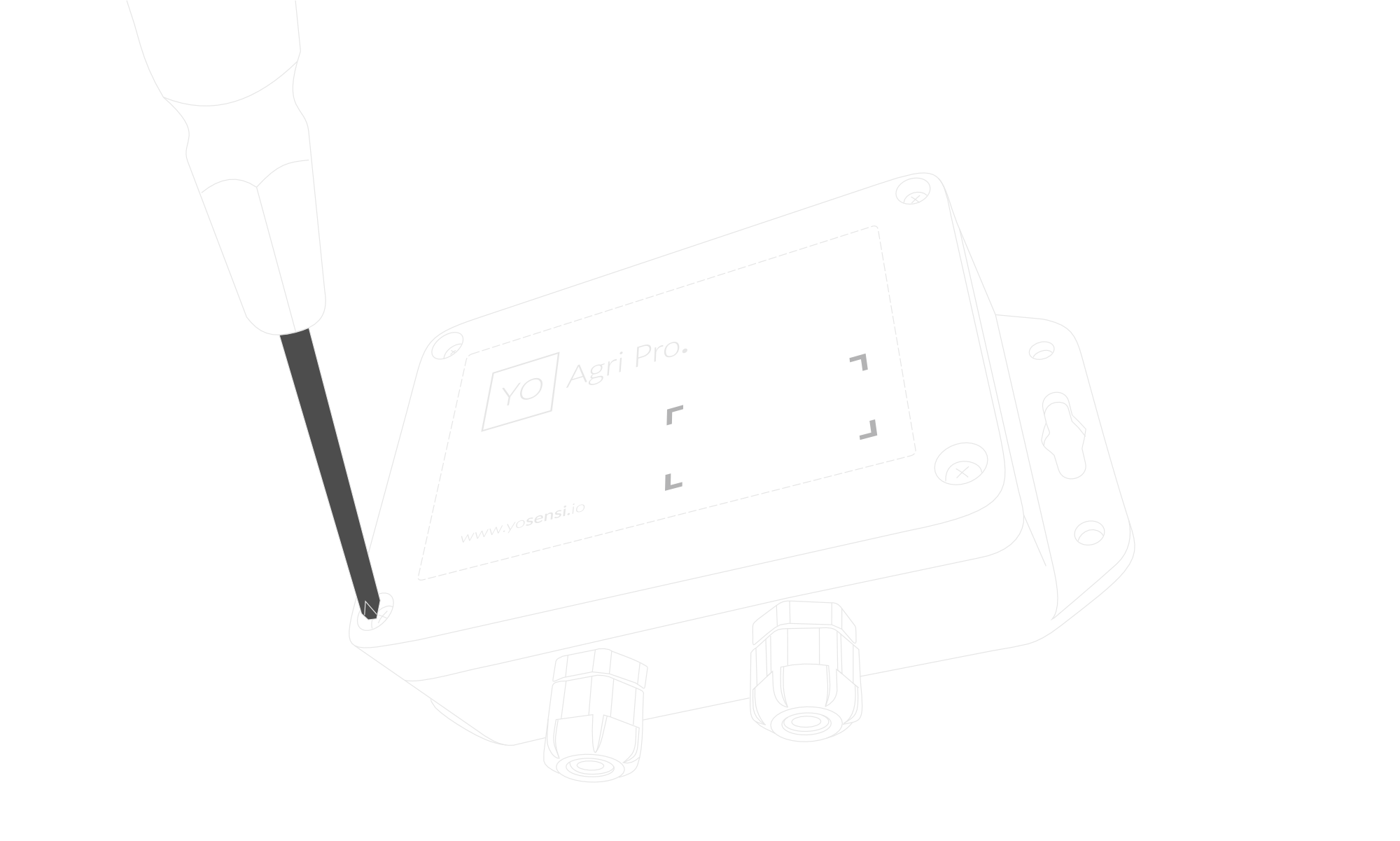
Figure 6. Unscrewing the device top cover
-
Pass the sensor cable through the correct entry (left = Sensor 1, right = Sensor 2).
Inside the device, connect the wires to the supplied green screw connector block. Match the wire colors with the labels printed on the board:- white wire - selected channel marked with „1 VCC” symbol
- brown wire - selected channel marked with „2 GND” symbol
- green wire - selected channel marked with „3 SM IN” symbol
- yellow wire - selected channel marked with „4 TEMP” symbol
Tighten the screws gently with a small screwdriver so the wires stay in place.
Plug the green connector block into the matching socket on the PCB.
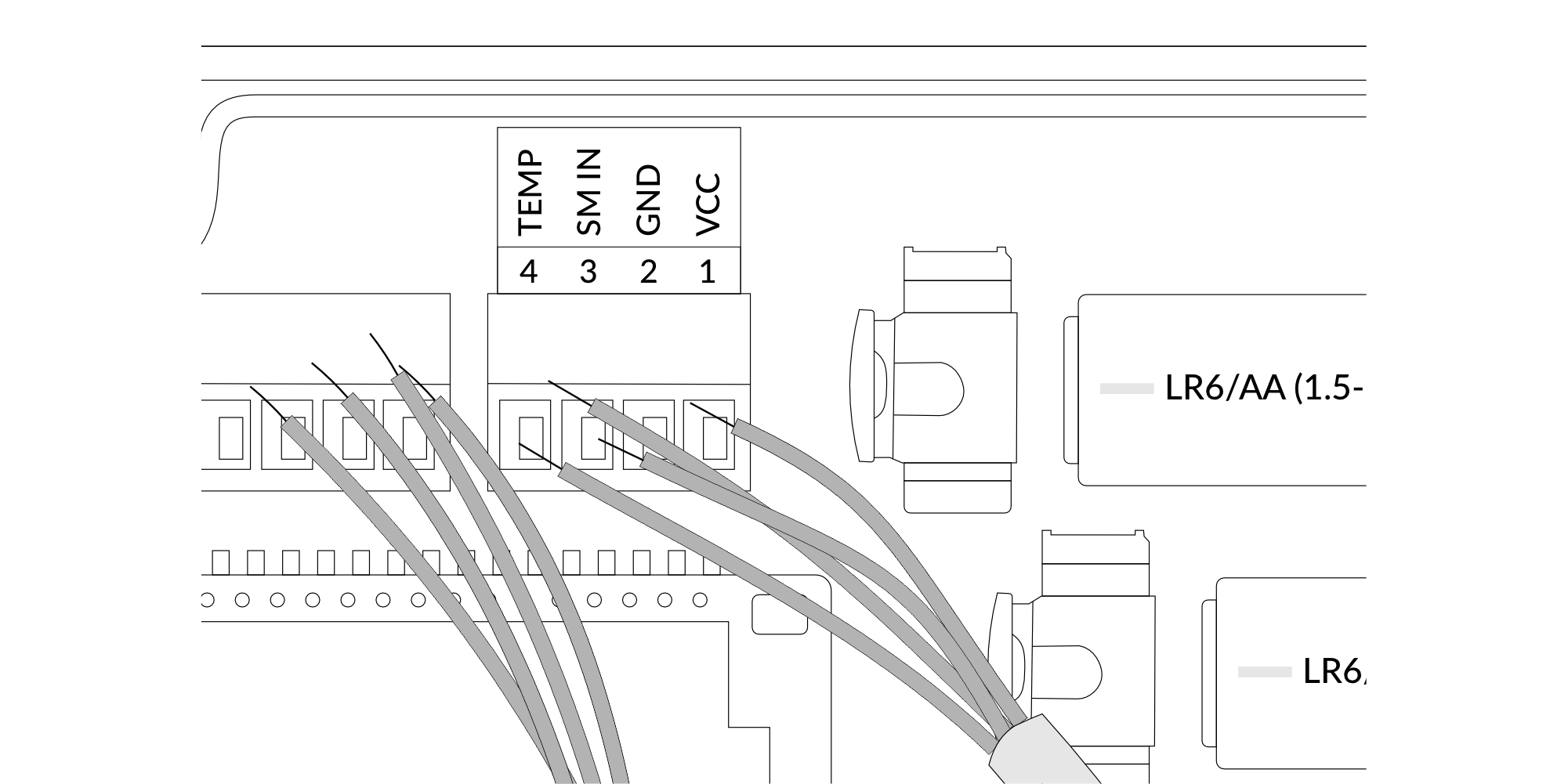
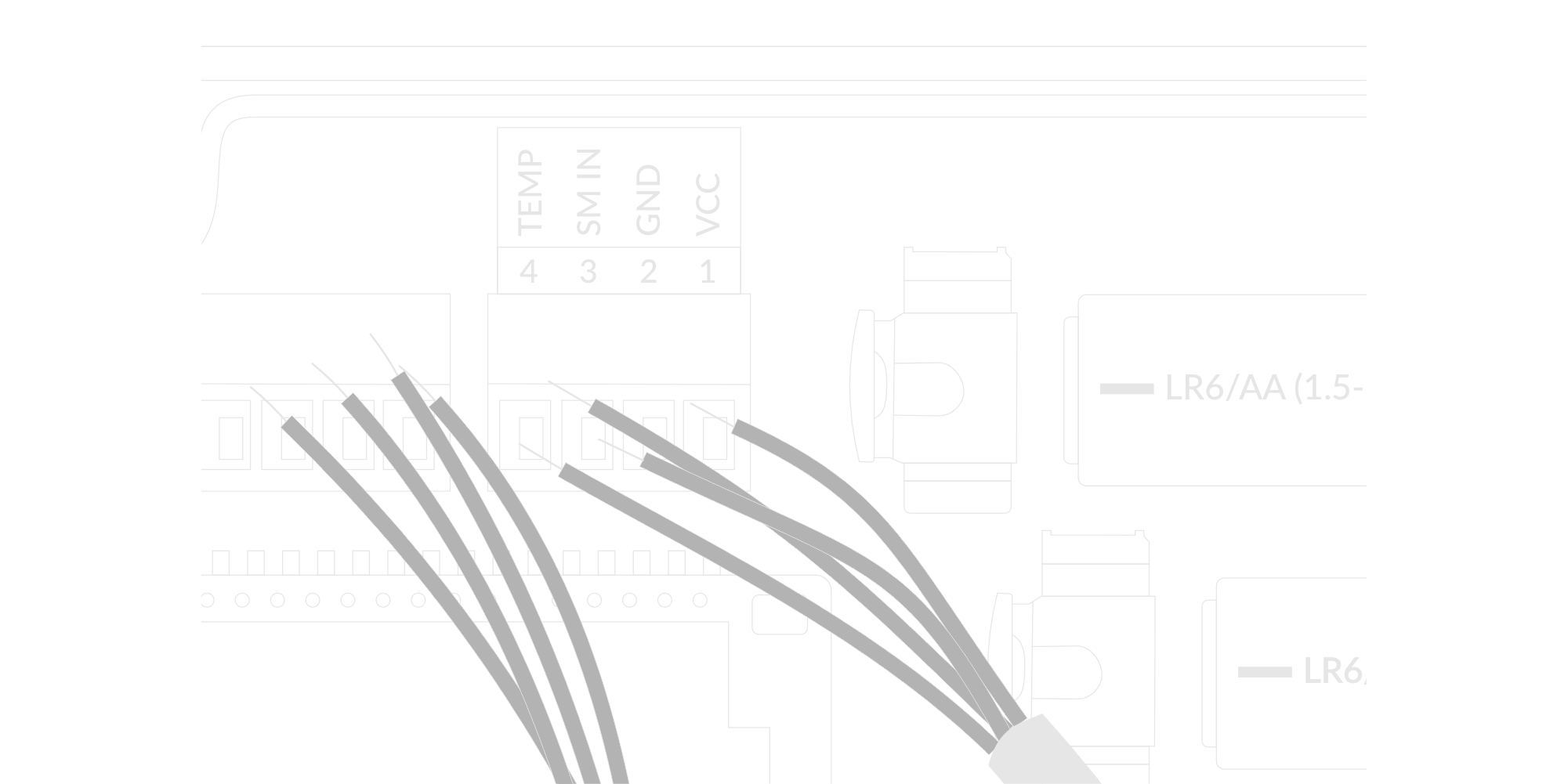
Figure 7. Input cable passing through the cable gland instructions
- Place three LR6 batteries in the device according to the polarity indicated on the battery holder.
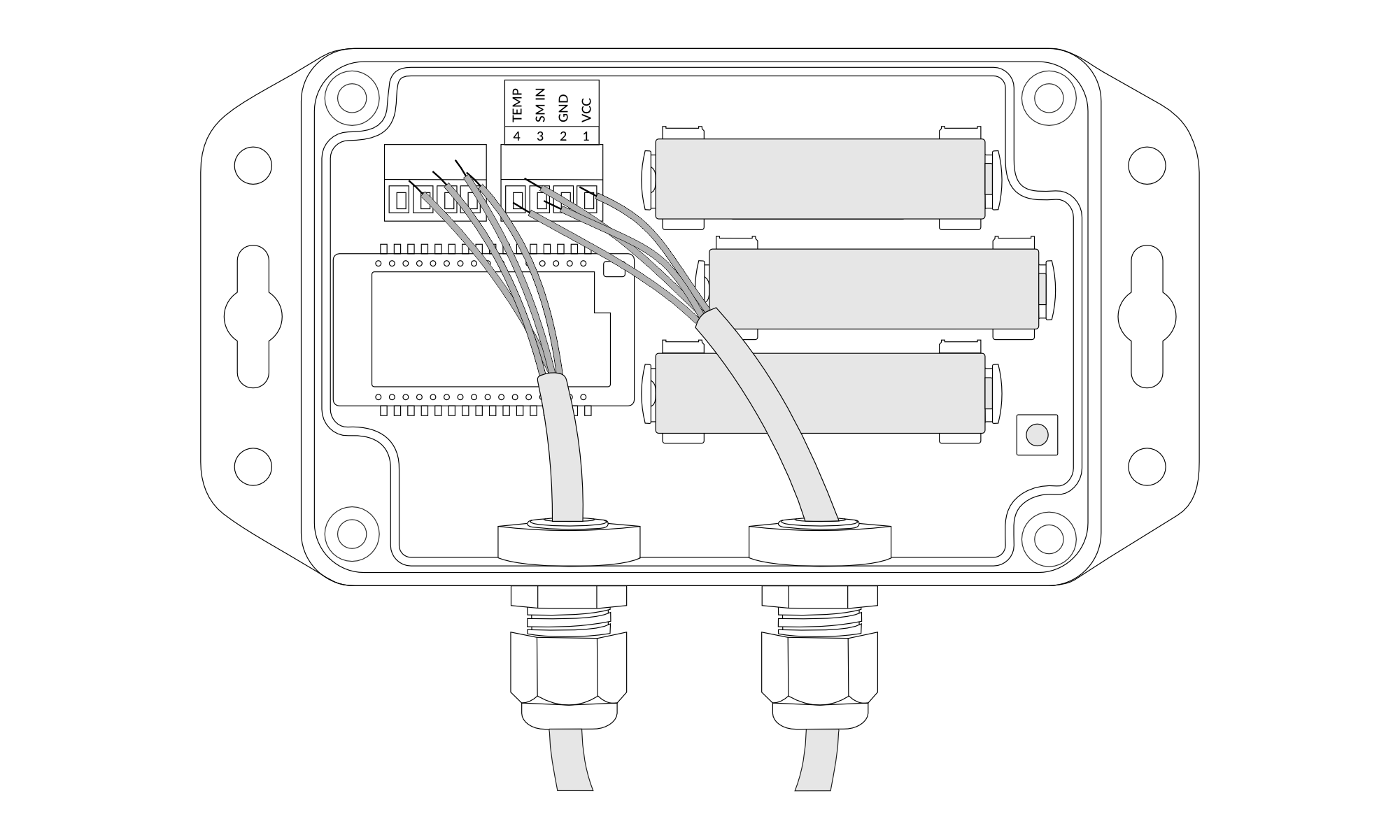
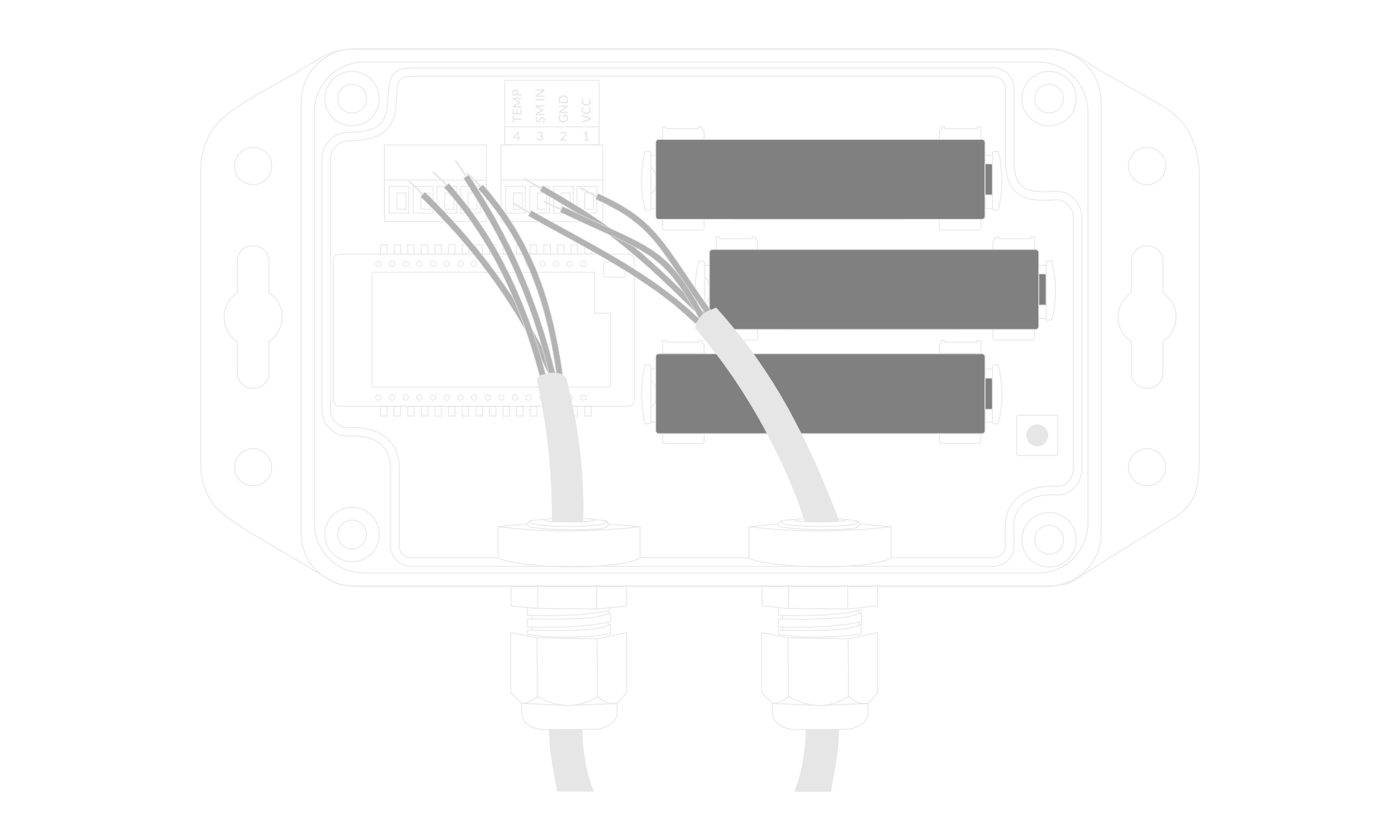
Figure 8. Battery placement instructions
-
Assemble the device and screw it back together.
-
The accuracy of the reading depends on the correct installation of the sensor in the soil. Depending on the needs there are several possibilities of sensor installation. Figure 10 shows that the measuring probes can be completely buried and can be placed at different depths in the soil. Soil moisture and temperature can be measured with one or two sensors. It is also possible to place the sensors without burying them as in Figure 9.
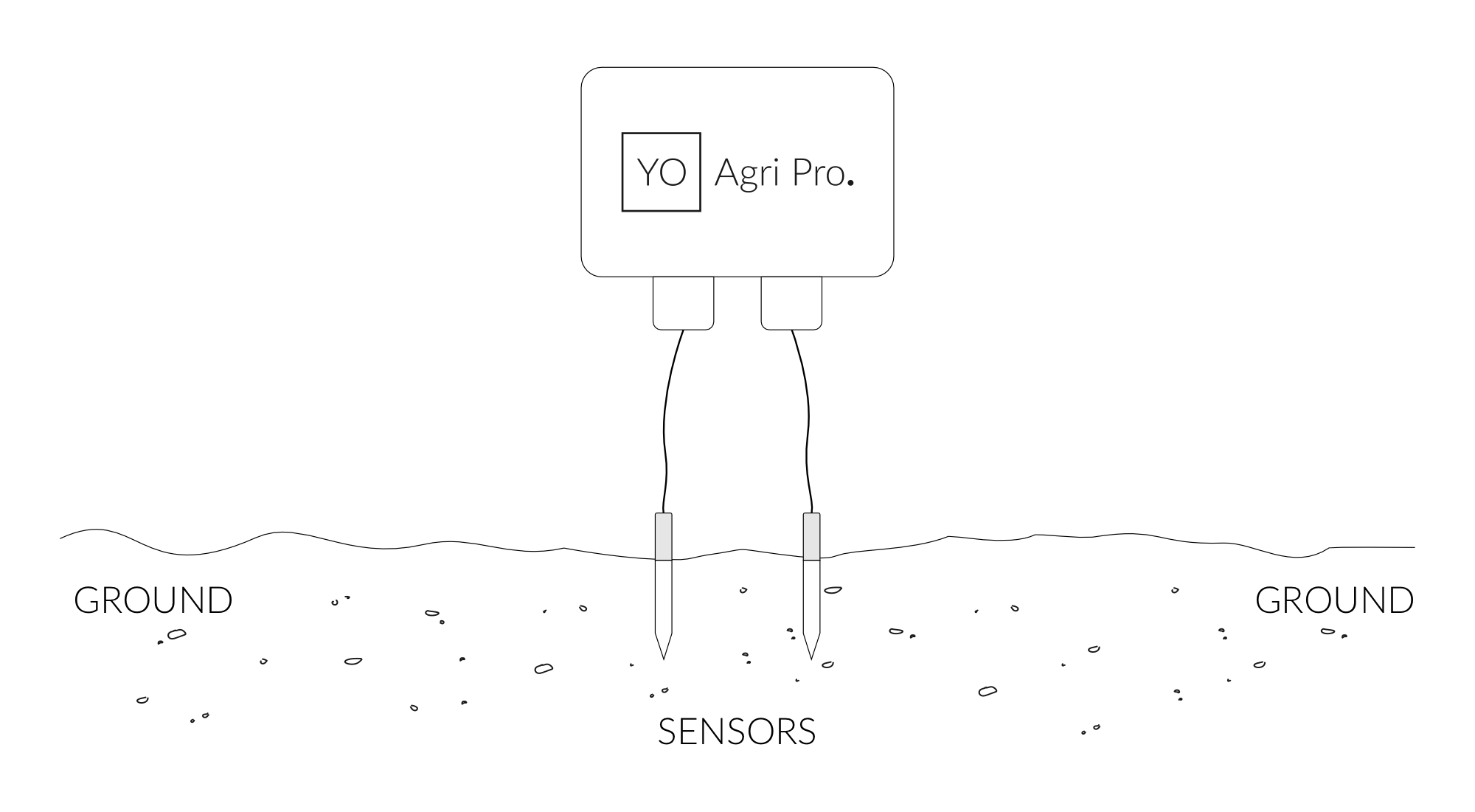
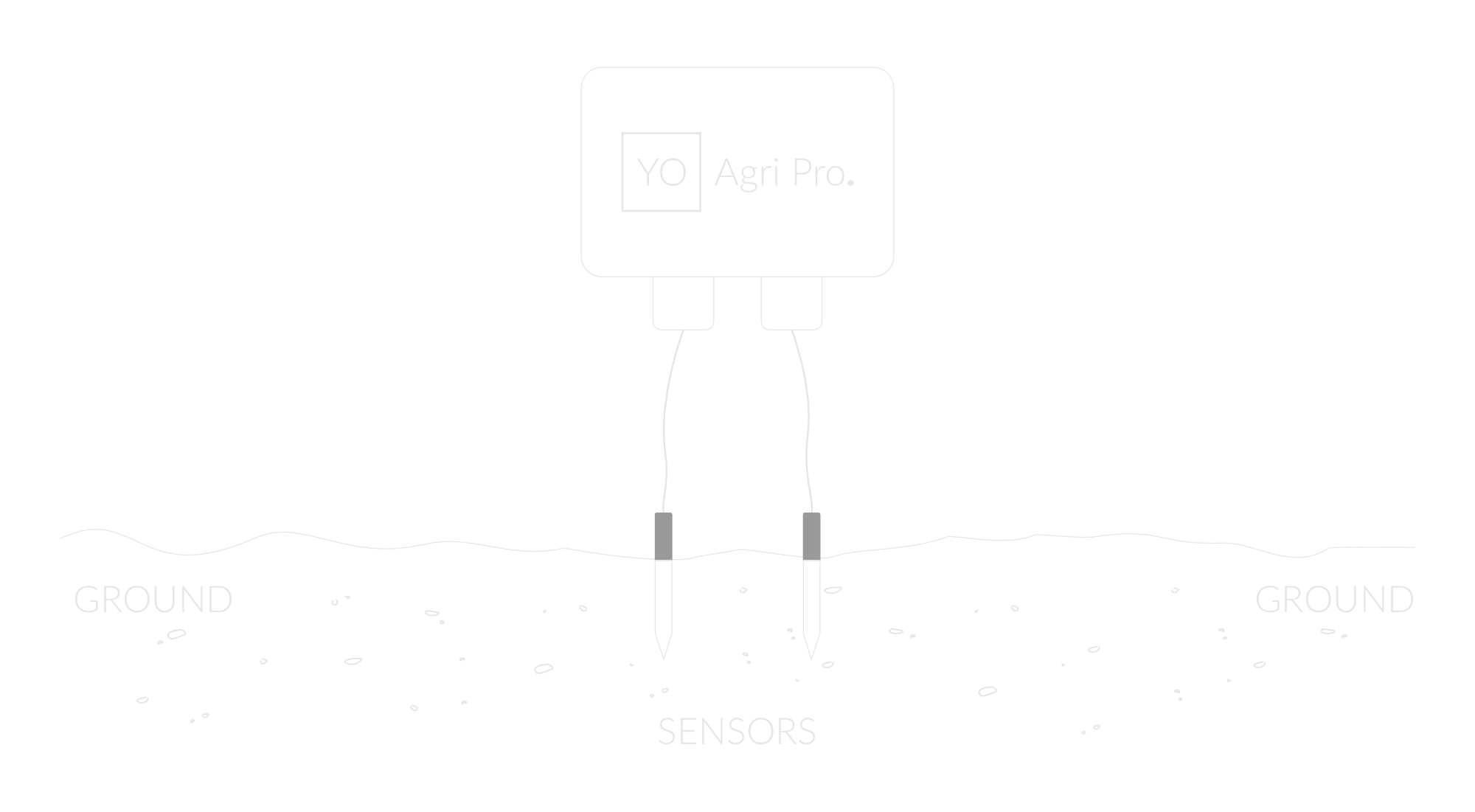
Figure 9. Soil sensor mounting instructions
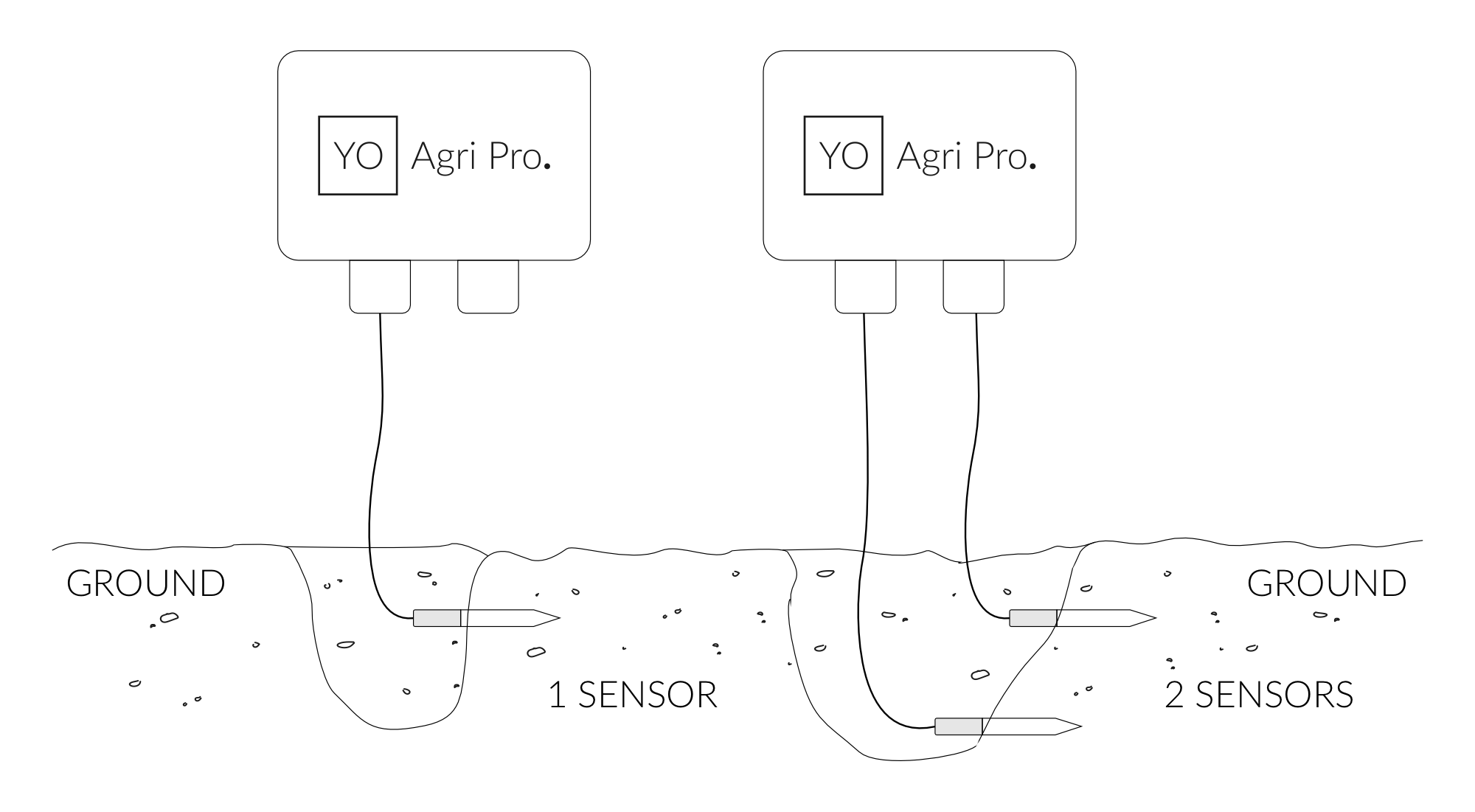
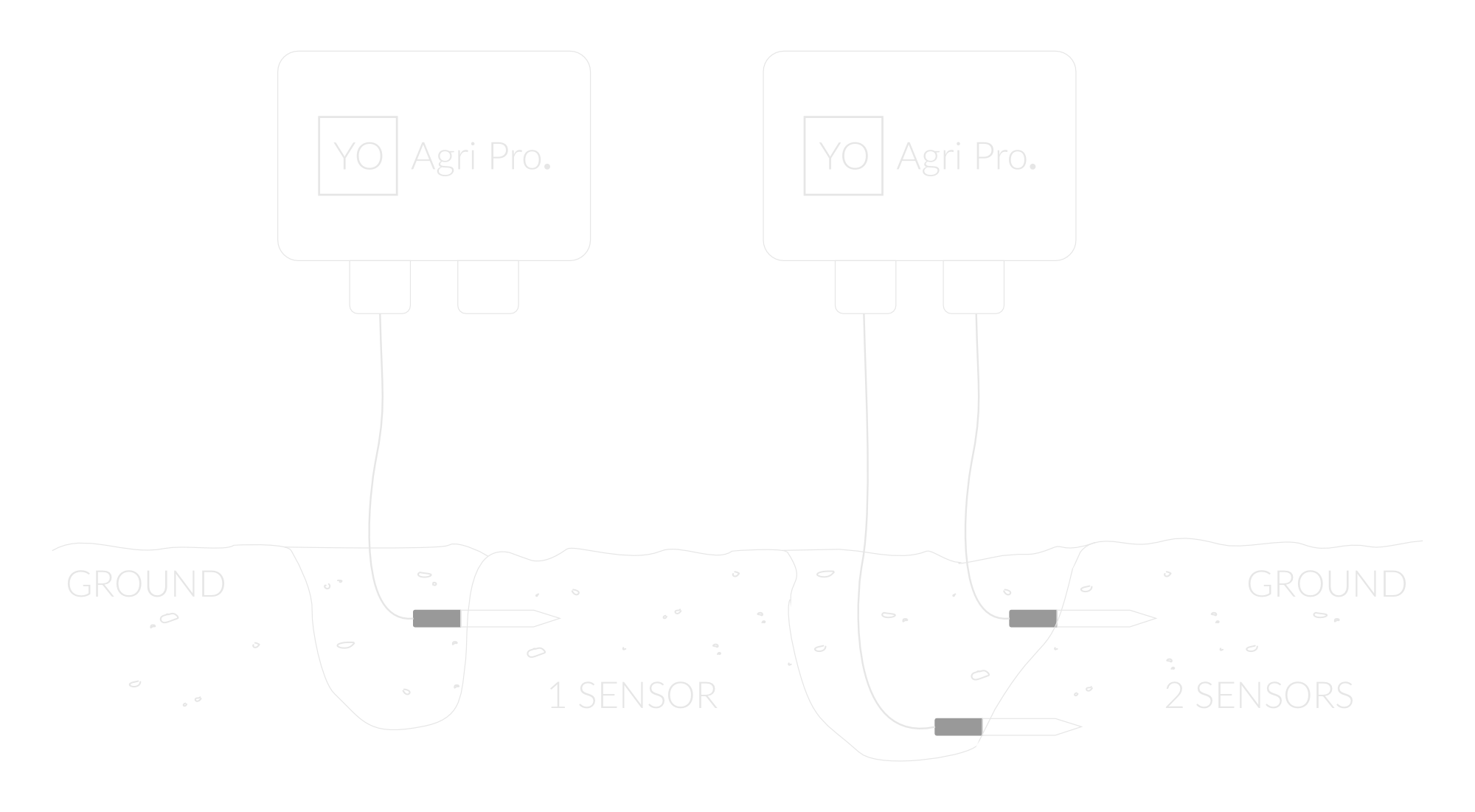
Figure 10. Soil sensor mounting instructions
Configuration
Configurable Parameters
A few parameters must be set before sending data to the gateway. The default firmware is configured in OTAA mode with predefined deveui, appkey (OTAA) and appskey, nwkskey (ABP).
Configuration of the device is stored in a JSON file divided into the following sections:
- info (generic, read only): information about the device,
- general (generic): general device settings,
- lorawan (generic): configuration data for LoRaWAN connection,
- ble (generic): Bluetooth settings,
- device (dynamic): individual configuration for a specific device (this section’s structure differs for each device),
Sample configuration file for the YO Agri Pro device.
{
	"info": {
		"devmodel": "LNAO",
		"fwver": "1.0.0",
		"loraradio": "SX1261",
		"lorawanver": "1.0.2",
		"loraregion": "EU868",
		"blemacaddr": "0123456789ab"
	},
	"general": {
		"rtcstate": "disable",
	},
	"lorawan": {
		"subband": 1,
		"retrycnt": 1,
		"nwktype": "public",
		"acttype": "otaa",
		"otaa": {
			"deveui": "0123456789abcdef",
			"appeui": "fedcba9876543210",
			"appkey": "000102030405060708090a0b0c0d0e0f",
			"trials": 3
		},
		"abp": {
			"devaddr": "01234567",
			"nwkskey": "0123456789abcdef0123456789abcdef",
			"appskey": "000102030405060708090a0b0c0d0e0f"
		}
	},
	"ble": {
		"power": 0,
		"interval": 1600
	},
	"device": {
		"measinterval": 3600,
		"soiltype": "organic",
		"ch1cablelength": 2,
		"ch2cablelength": 2,
	}
}
OTAA & ABP
| OTAA | ABP |
|---|---|
| Device EUI | Device Address |
| Application EUI | Network Session Key |
| Application Key | Application Session Key |
| Number of Trials |
Generic Parameters
Click here to see the generic parameters for Yosensi devices.
Parameters
Device Parameters
| Name | Description | Possible Values | Default Value | Read/Write |
|---|---|---|---|---|
| measinterval | Measuring and sending interval LoRa [s] | 601-999999 | 3600 | R/W |
| ch1cablelength | Cable length for channel 1 | 2-20 | 2 | R/W |
| ch2cablelength | Cable length for channel 2 | 2-20 | 2 | R/W |
| soiltype | Type of soil in which the sensor is placed | organic mineral | organic | R/W |
| ||||
Parameters description
- rtcstate: used for enabling/disabling the real-time clock (RTC) inside the device. The RTC is used for timestamping the measurements.
- nwktype: used for setting the device in public or private network type.
- acttype: used for setting the device in ABP or OTAA mode.
- deveui, … , appskey: predefined addresses and keys, these parameters are generated using multiple IDs specific to the particular MCU and are unique for each device. They can be changed if needed.
- interval: determines the interval of sending broadcast packets, used to connect to every BLE receiver around the device.
- subband: used for setting the communication frequency sub-band in LoRaWAN.
- retrycnt: number of retries to send a LoRa packet if the acknowledgement is not received from the LoRaWAN server.
- measinterval: measurement interval [s] between sending LoRa packets.
- ch1cablelength, ch2cablelength cable length of each sensor.
- soiltype: parameter describing the type of soil in which the sensor is placed. This parameter significantly improves soil moisture collection for a specific soil. Organic type soil includes limnological, peat and muck soils. Mineral type are all the other soil categories.
Downlink message
You can remotely adjust certain parameters by sending a downlink message through our platform. Simply navigate to the "COMMANDS" section for the selected device.
Update Measurement Interval
It is possible to change the measurement interval (measinterval) by using downlink. Information about changing the parameter will be sent from the server via the gateway.
Example of Downlink Message:
- Prefix:
0x03 - Measurement Index:
0x00 - Data (up to 4 bytes in hex):
0258
Sample Downlink: 0x03000258 - Sets a measurement interval of 600 seconds (10 minutes).
Click here to see how to connect a node using the Yosensi Management Platform.
See how to configure a node in Yosensi Management Platform
Check how to adopt and configure a node via the Yosensi App.
Take a look at the list of frequency plans used in Yosensi.
This datasheet describes the payload protocol developed by Yosensi for communicating with our devices.
Payload Decoder
If you want to connect to your own server, it is necessary to decode the specific payload for each device. To accomplish this, a payload decoder is required, which can be downloaded using the following link: Payload decoder. You can also use our integrated Payload Decoder here. Extended documentation of the protocol can be found in the Payload description on our website.